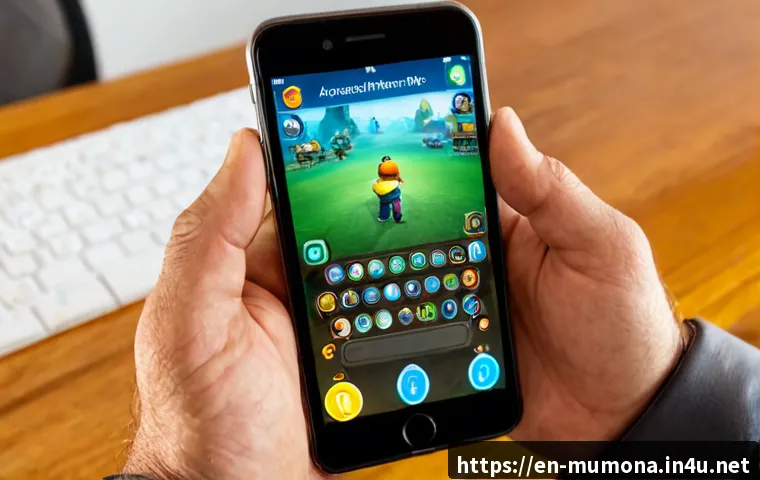
To add friends in MU Monarch, open the game’s social or friends area, search for the player’s exact character name, and send a request. If the search does not work, first confirm that you are using the same server or region and that the name is a character name rather than an account or display name.

The fastest method depends on how you know the player: exact-name search works well for real-life friends, while party, chat, and guild interactions can be easier for players already visible in-game.
Menu labels, friend limits, and cross-server support may vary by version, region, platform, or update. Before paying for any optional convenience or social feature, check whether it will actually help your regular group play together.
Never share login details, verification codes, currency, or payment information to “prove” a friendship request.
At a Glance
- Open the social, friends, or similarly named section from the main game interface, then look for an add or search option.
- Use the player’s exact character name and confirm server or region details before assuming the search has failed.
- Check pending requests and available friend-list space before retrying, especially if either player cannot accept new requests.
| Connection Method | Best For | Convenience | Common Limitation |
|---|---|---|---|
| Add by character name | Friends who already know each other’s character details | Fast when the spelling and server are correct | May fail if the player is on another server, region, or incompatible platform |
| Add after meeting in-game | Players in a party, chat, or nearby activity | More accurate because the player is already visible | Available interaction options may vary by activity or game version |
| Guild-based connection | Regular group play and long-term social coordination | Useful for finding active players with shared goals | A guild connection may not replace a separate friend-list entry |
Quick Answer: Where to Start a Friend Request
Start from the main game interface and look for a section labeled Social, Friends, Community, or a similar player-management menu. The exact label is not confirmed and can change with updates, regional versions, or platform layouts. Once you find it, look for an option to search, add, invite, or manage friend requests.
Open the Social or Friends Section From the Main Game Interface
Begin on the main screen rather than inside a temporary battle or loading screen. Open the menu that manages player relationships, chat contacts, or community features. A normal flow is to select the friends area, choose an add-player function, and enter a name or select a player you recently met.
If you cannot find the option immediately, avoid guessing based on screenshots from another version of the game. Check the currently installed client and look through the available social tabs. The right menu may be grouped with guild, party, chat, or community tools.
Search Using the Exact Character Name and Send the Request
Enter the player’s character name exactly as shown in-game. Small differences can matter, including capitalization, spaces, punctuation, and special characters. Ask your friend to copy the name directly from their character profile or visible in-game name if possible.
After sending the request, do not assume it was completed until the other player accepts it. Some game systems place the request in a pending state, and some may restrict requests when a list is full or when compatibility requirements are not met.
Accept Pending Requests Before Assuming the Request Failed
Both players should check for pending incoming requests and outgoing requests. A request may be waiting for acceptance rather than missing. If you have already sent one request, repeatedly sending more can create confusion without solving the original issue.
If the request is visible but cannot be accepted, review friend-list capacity, privacy controls, temporary connection status, and any on-screen notice in the current game client.
Choose the Best Way to Connect With Another Player
The best connection method is usually the one that requires the fewest uncertain details. If you know the exact character name and both players appear to be on the same server, name search is a practical first choice. If you are already playing together, using an in-game interaction can reduce spelling mistakes and mistaken identity.
Add by Exact Character Name
This option is useful when real-life friends plan to join the same game environment. Before either person spends time building a character, compare the visible server, region, and character name. Cross-server, cross-region, and cross-platform friend support is not confirmed, so it should be checked in the active client rather than assumed.
Exact-name search is simple, but it depends on accurate information. Do not use a nickname from a messaging app, a guild title, or an account label unless the game specifically identifies it as the searchable character name.
Add a Player You Meet in a Party, Chat, or Guild
When a player is already visible in a party, chat, guild roster, or shared activity, an interaction-based request may be more convenient. This route can help you identify the correct character without manually typing a name.
It is also useful for social play because you can see whether the player fits your usual schedule and group goals. A guild may offer a better long-term way to coordinate than filling a friend list with players you rarely meet again.
Compare Speed, Accuracy, and Common Restrictions
Use name search when you have verified details. Use a party or chat interaction when the player is already present. Use guild tools when you want an ongoing group rather than a one-time contact. In every case, treat server, region, platform, list capacity, and privacy options as possible restrictions until the game confirms otherwise.
Step-by-Step Checks Before You Send the Request
A short check before sending a request saves time. The key is to verify the player identity first, then confirm whether both accounts can reasonably interact in the same game environment.
Confirm Character Spelling, Capitalization, and Special Characters
Ask for the name exactly as it appears on the character. Check each letter, number, space, and symbol. If a search returns no result, compare the text again instead of changing the name at random.
Character name accuracy is the first checkpoint because a display name, account name, or guild label may not be searchable in the friend tool.
Check Server, Region, Channel, and Platform Compatibility
Confirm that both players selected the same server or region where applicable. It is not confirmed whether MU Monarch allows friend requests across different servers, regions, channels, or platforms. A player can be online and still remain unavailable in a search if the game separates those environments.
Channels may only affect visibility in some games, while servers and regions may affect account interaction more broadly. Check the current client’s server-selection screen, social menu notices, or official in-game help before making plans around cross-server play.
Review Pending Requests and Friend-List Space
Check whether your own list has room and ask the other player to do the same. Friend-list capacity, level requirements, and request limits are not confirmed and may vary. Also review pending requests before retrying, because an existing request may already be waiting for action.
If the game offers a list-management screen, remove only contacts you no longer need. Do not delete useful group contacts simply to make room for an unverified request.
Fix “Player Not Found” and Other Common Problems
“Player not found” does not always mean the player has stopped playing. It can point to a spelling issue, a different server or region, a non-searchable name, a full list, a privacy setting, or a temporary connection problem.
The Player Is on Another Server or Region
First, compare the server and region shown in each player’s game client. If they differ, the game may not allow a direct friend request between those environments. Since compatibility rules are not confirmed, look for the current in-game message or official support information rather than relying on old community advice.

If you are starting fresh with friends, agreeing on the same available server and region before investing time in characters is the simplest approach.
The Displayed Name Is Not the Character Name
A player may share a name they use elsewhere, but the friends system may require a different in-game identifier. Ask them to open their character view and provide the name displayed there. Then enter it carefully in the friend search field.
This is especially important when several players use similar names, decorative symbols, or alternate spelling. Never accept a request solely because the name looks familiar; confirm through an existing chat, party, or trusted real-life contact.
A Full List, Privacy Setting, or Temporary Connection Issue
If the player appears but the request cannot be sent or accepted, check list capacity and any visible privacy controls. A short wait and a fresh login can also help identify whether the issue is temporary, but it does not confirm a permanent fix.
Use the game’s current notices as the main reference. If an optional social feature or premium convenience is shown, read its exact conditions before buying. A paid option only has value if it improves how your regular group actually plays together.
Safe Social Play and Optional Spending Decisions
Friend requests are a normal multiplayer feature. Requests that ask for private account information, currency transfers, login access, verification codes, or off-platform payments are not a normal requirement for adding someone.
Never Share Account Credentials, Verification Codes, or Payment Details
Do not share your password, account recovery details, one-time verification code, or payment information with another player. A legitimate friend request should be handled through the game’s own social tools.
Be cautious if someone asks you to move the conversation to another platform and pressures you to act quickly. Keep account security decisions separate from social gameplay.
Evaluate Paid Social or Convenience Features by Actual Group-Play Value
If the current client offers optional social, roster, or convenience features, ask a simple question: Will this help my regular group play together more easily? Consider how often you play with the same people, whether the feature solves a real coordination issue, and whether free tools already meet your needs.
A social-related purchase is not automatically useful just because it is presented near the friends menu. Check the feature description, eligibility conditions, and any limits directly in the relevant game page before deciding.
When Guild Tools May Be More Useful Than a Long Friend List
For recurring co-op play, guild tools can be more practical than maintaining a large friend list. A guild can help players find familiar teammates, organize activities, and communicate around shared goals.
That said, guild membership and friendship may serve different purposes. Use a friend request for direct personal contact, and use guild-based organization when you want a broader group connection.
Selection Criteria and Comparison Summary
Choose the simplest connection method based on whether your friend is on the same server and already visible in-game. For real-life friends, verify the server, region, exact character name, and current compatibility rules before sending a request. For players you meet through parties or guilds, use the visible in-game interaction when available to avoid name errors. Check pending requests and friend-list space before retrying. If you are considering an optional convenience feature, confirm that it benefits your normal group play rather than buying it without a clear purpose. Official guidance and feature conditions should be checked in the relevant in-game page.
Best Option for Real-Life Friends Joining Together
Agree on the same available server or region first, then exchange exact character names. This keeps the setup simple and reduces the chance that one player creates a character in an incompatible environment.
Best Option for Players Who Meet Through Guilds or Parties
Use party, chat, or guild visibility to identify the correct player. This is often easier than manually searching a name, especially when the player uses special characters or a similar-looking name.
Final Pre-Request Checklist
Confirm the exact character name. Confirm server and region where shown. Check whether the player is already visible in a party, chat, or guild. Review pending requests and available list space. Read any in-game compatibility notice before assuming cross-server or cross-platform support.
Conclusion
Adding friends in MU Monarch is usually straightforward once both players confirm the correct character name and game environment. Start with the social or friends menu, then use the method that matches your situation: exact-name search for known friends or direct interaction for players already in your group. If the request fails, check server, region, pending status, list space, and the name format before trying again. Keep account security separate from social play, and only consider optional spending when it offers a clear benefit to your regular group.
Useful Information to Keep in Mind
Server, region, platform, menu labels, friend-list capacity, request limits, and level requirements can change by version or update. The current game client is the best place to verify these details. A player being online does not necessarily mean they can be searched or added from every game environment.
Important Notes
This guide covers general friend-request checks because exact MU Monarch social settings are not confirmed here. Do not assume cross-server, cross-region, or cross-platform support. Verify any rewards, premium social options, paid benefits, or privacy controls inside the current game client before making a decision.
Frequently Asked Questions
Q1. Why can’t I find my friend’s character in MU Monarch?
A1. Check the exact character spelling first, including capitalization, spaces, numbers, and special characters. Then compare your server and region details. The name may be a display or account name instead of the searchable character name, or the game may restrict searches across certain environments.
Q2. Can players on different servers or regions add each other as friends?
A2. This is not confirmed and may differ by version, region, platform, or update. Check the current social menu, server information, and in-game notices before assuming that players in different environments can connect.
Q3. Is it safe to accept friend requests from strangers, and do I need to pay for any social features?
A3. A normal in-game friend request can be part of social play, but never share passwords, verification codes, currency, or payment details. You should not treat payment as a requirement for a basic friend request. If optional social or convenience features appear, review their current conditions and decide whether they provide a real benefit for your usual group.